Virtual Key
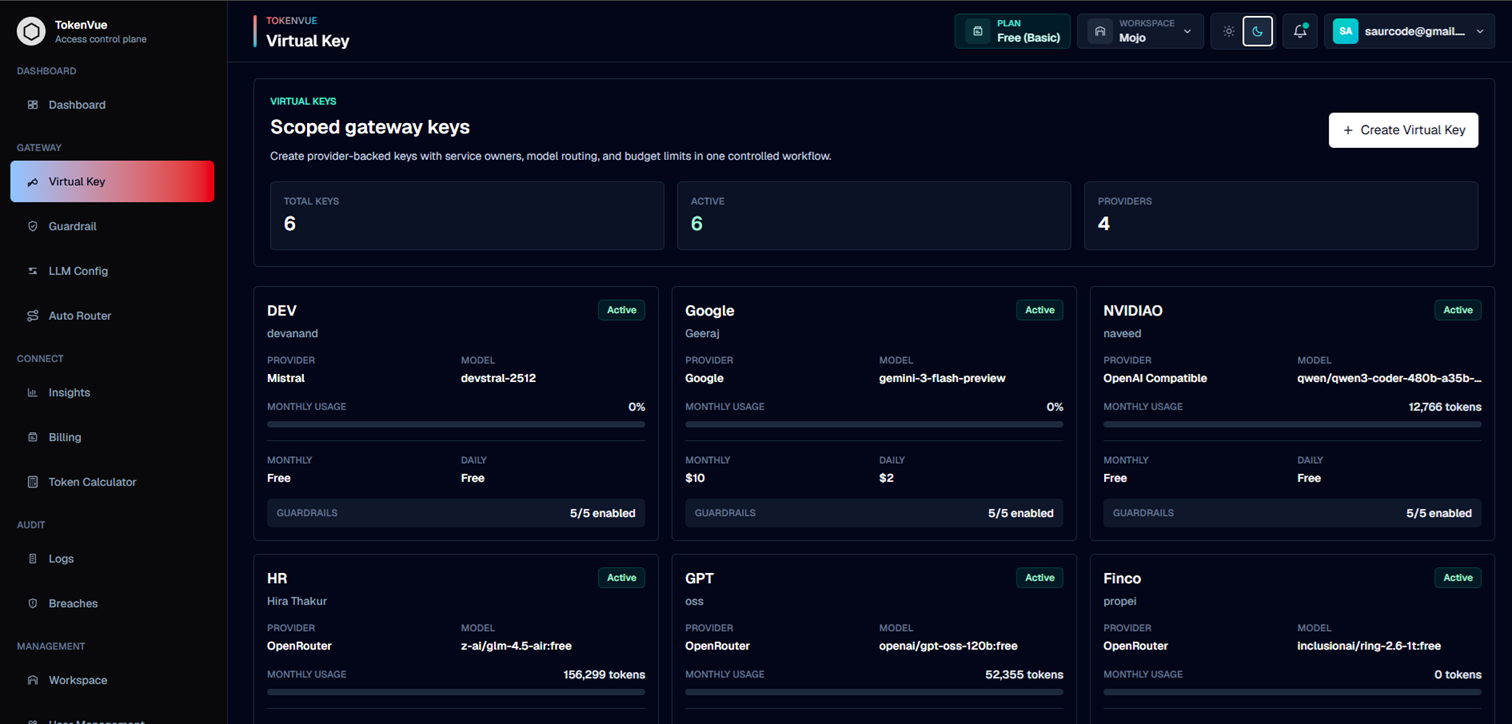
A Virtual Key is the application-facing API key used to send LLM requests through TokenVue.
Instead of placing provider API keys directly inside your application, you create a TokenVue Virtual Key and use it as the gateway key. TokenVue then routes the request to the configured LLM provider, applies limits and guardrails, and records usage for monitoring.
What a Virtual Key Does
A Virtual Key gives your application controlled access to an LLM provider through TokenVue.
With a Virtual Key, you can:
- Route requests through the TokenVue gateway
- Hide provider API keys from application code
- Assign a key to a service, team, or workload
- Apply daily, monthly, token, or request limits
- Enable or override guardrails
- Track usage, latency, status, and token volume
- Pause or rotate access when needed
How It Works
A Virtual Key connects your application to an LLM configuration inside TokenVue.
Application
  -> TokenVue Virtual Key
  -> Guardrails and Limits
  -> LLM Config
  -> Provider Model
When your application sends a request, TokenVue validates the Virtual Key, checks its rules, applies guardrails, and forwards the request to the configured provider.
Creating a Virtual Key
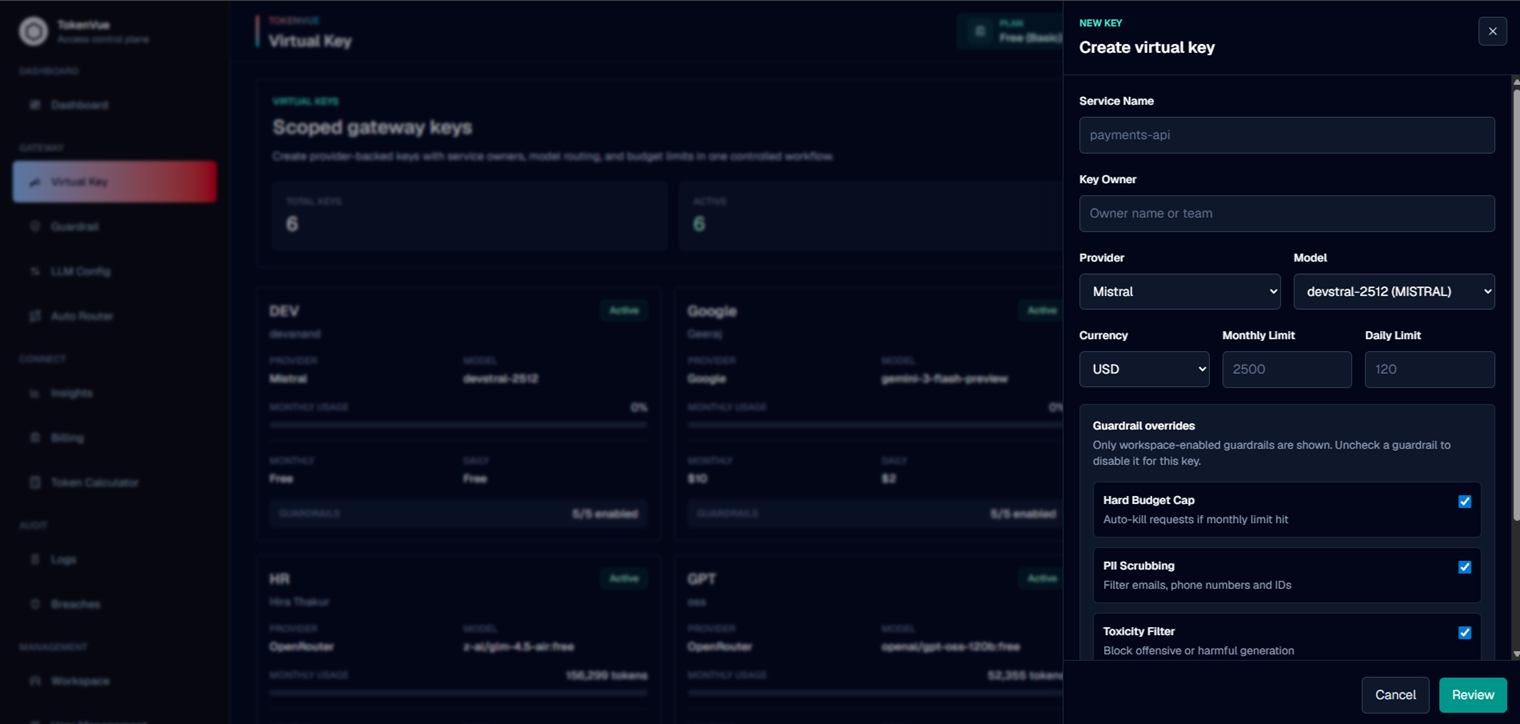
To create a Virtual Key, go to Virtual Key in the TokenVue dashboard and choose the LLM configuration the key should use.
A Virtual Key usually includes:
| Field | Description |
|---|---|
| Service Name | The application, service, or workload using the key. |
| Key Owner | The person or team responsible for the key. |
| LLM Config | The provider and model configuration linked to the key. |
| Budget Mode | Defines how usage should be limited or tracked. |
| Daily Limit | Optional daily usage limit. |
| Monthly Limit | Optional monthly usage limit. |
| Guardrails | Safety and policy controls applied to requests. |
| Status | Whether the key is active or paused. |
Using a Virtual Key
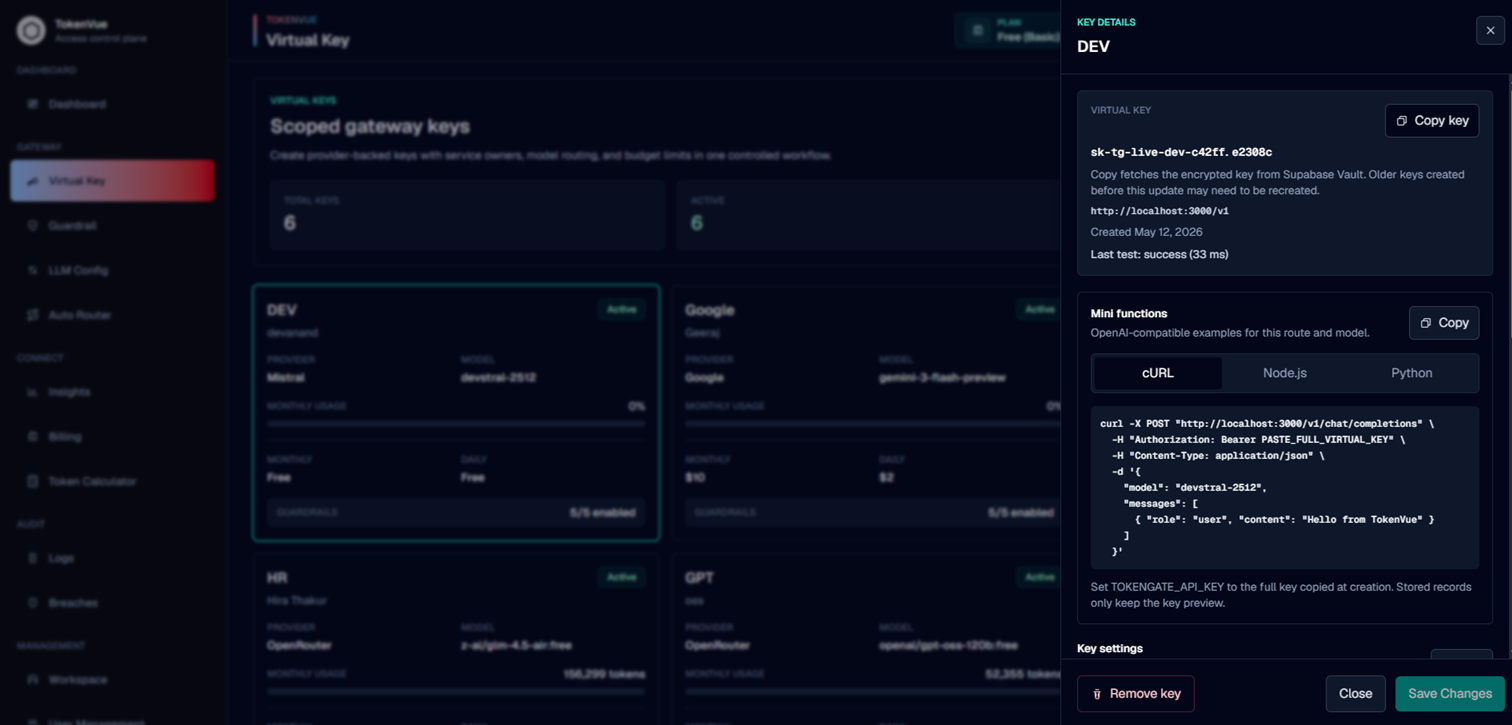
After creating a Virtual Key, use it as the API key in your application.
For OpenAI-compatible clients, configure the TokenVue gateway as the base URL.
curl -X POST "https://your-tokenvue-domain.com/v1/chat/completions" \
  -H "Authorization: Bearer sk-tg-live-..." \
  -H "Content-Type: application/json" \
  -d '{
    "model": "configured-model",
    "messages": [
      {
        "role": "user",
        "content": "Hello from TokenVue"
      }
    ]
  }'
For local development, the base URL is usually:
http://localhost:3000/v1
Guardrails on Virtual Keys
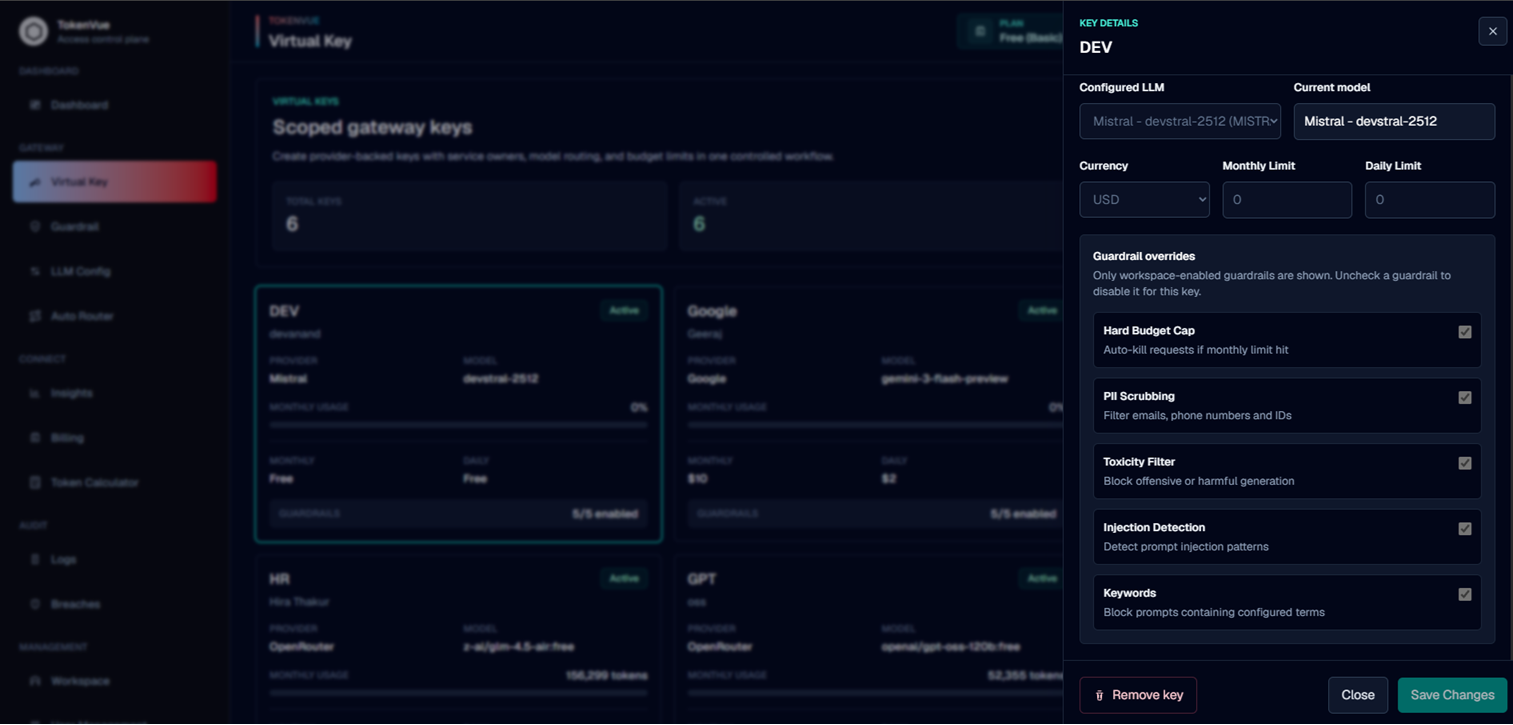
Virtual Keys can use workspace guardrails and key-level settings.
Guardrails help control what traffic is allowed before it reaches the provider. TokenVue can block or modify requests based on rules such as budget caps, PII handling, toxicity checks, prompt injection detection, and keyword blocking.
Usage Tracking
Every request made through a Virtual Key can be tracked in TokenVue.
This helps teams understand:
- Which services are using LLMs
- How many tokens are being consumed
- Which providers and models are active
- How often requests succeed or fail
- Where latency or cost issues may appear
- Which requests were blocked by guardrails
Best Practices
- Create separate Virtual Keys for separate services or environments.
- Use clear names for service ownership.
- Set limits before using a key in production.
- Keep provider API keys inside TokenVue, not in application code.
- Rotate or pause keys when access should change.
- Review audit logs regularly to understand usage patterns.
In Short
A Virtual Key is the secure gateway key your application uses to access LLMs through TokenVue.
It gives teams control over access, routing, limits, guardrails, and usage visibility without exposing provider credentials directly.