Guardrails
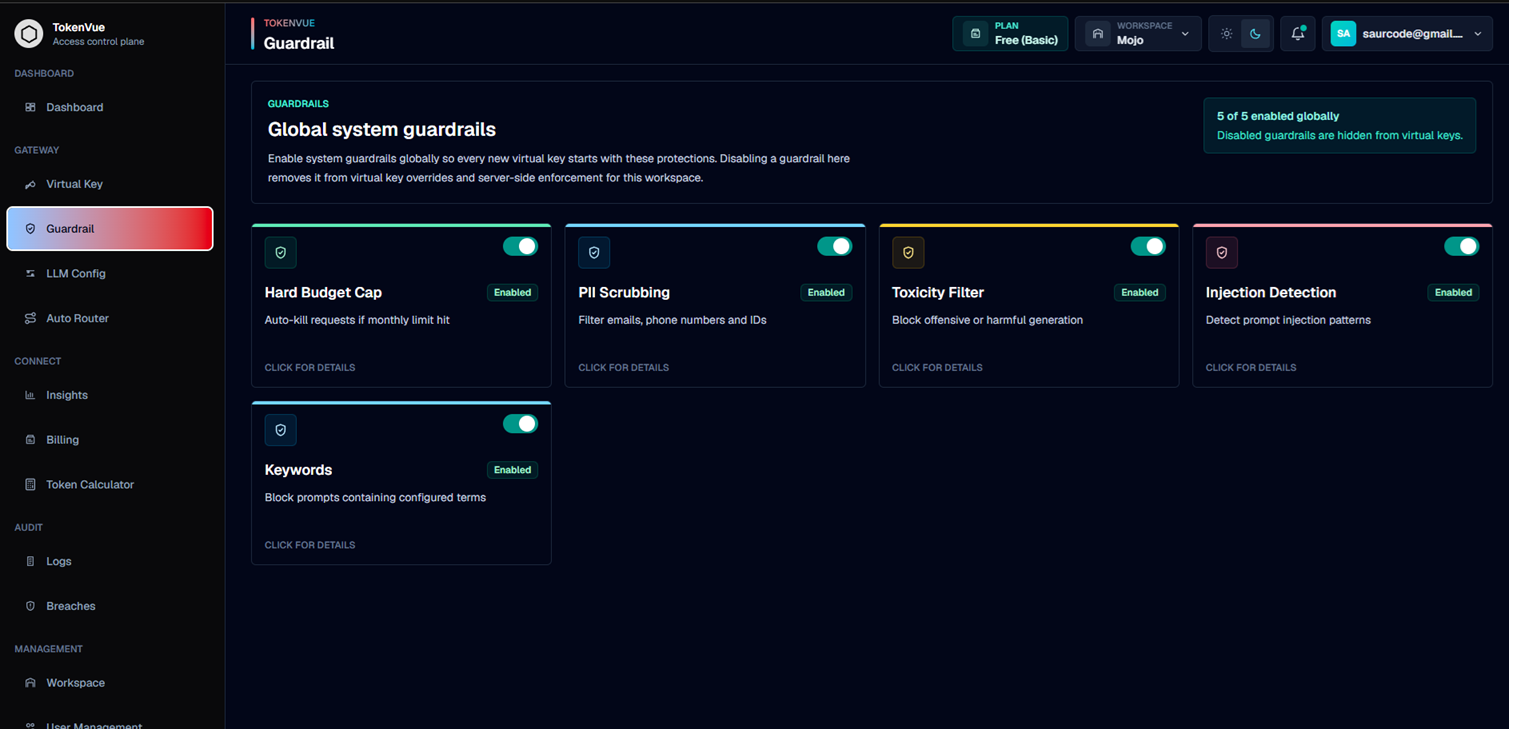
Guardrails in TokenVue help control what requests are allowed to reach an LLM provider.
They run as part of the TokenVue gateway flow before a request is forwarded to the configured model. This gives teams a central place to enforce safety, privacy, budget, and policy rules across workspace traffic.
What Guardrails Do
Guardrails help protect your workspace by checking requests before they are routed to an LLM provider.
With Guardrails, you can:
- Stop requests when usage limits are reached
- Scrub sensitive information before provider routing
- Detect risky or unsafe prompt content
- Block prompt injection attempts
- Block custom keywords or phrases
- Apply workspace-wide defaults across virtual keys
How Guardrails Work
A request sent through TokenVue follows this flow:
Application
  -> Virtual Key
  -> Guardrail Checks
  -> LLM Config
  -> Provider Model
If a request violates an enabled guardrail, TokenVue can block it before it reaches the provider.
Available Guardrails
| Guardrail | Purpose |
|---|---|
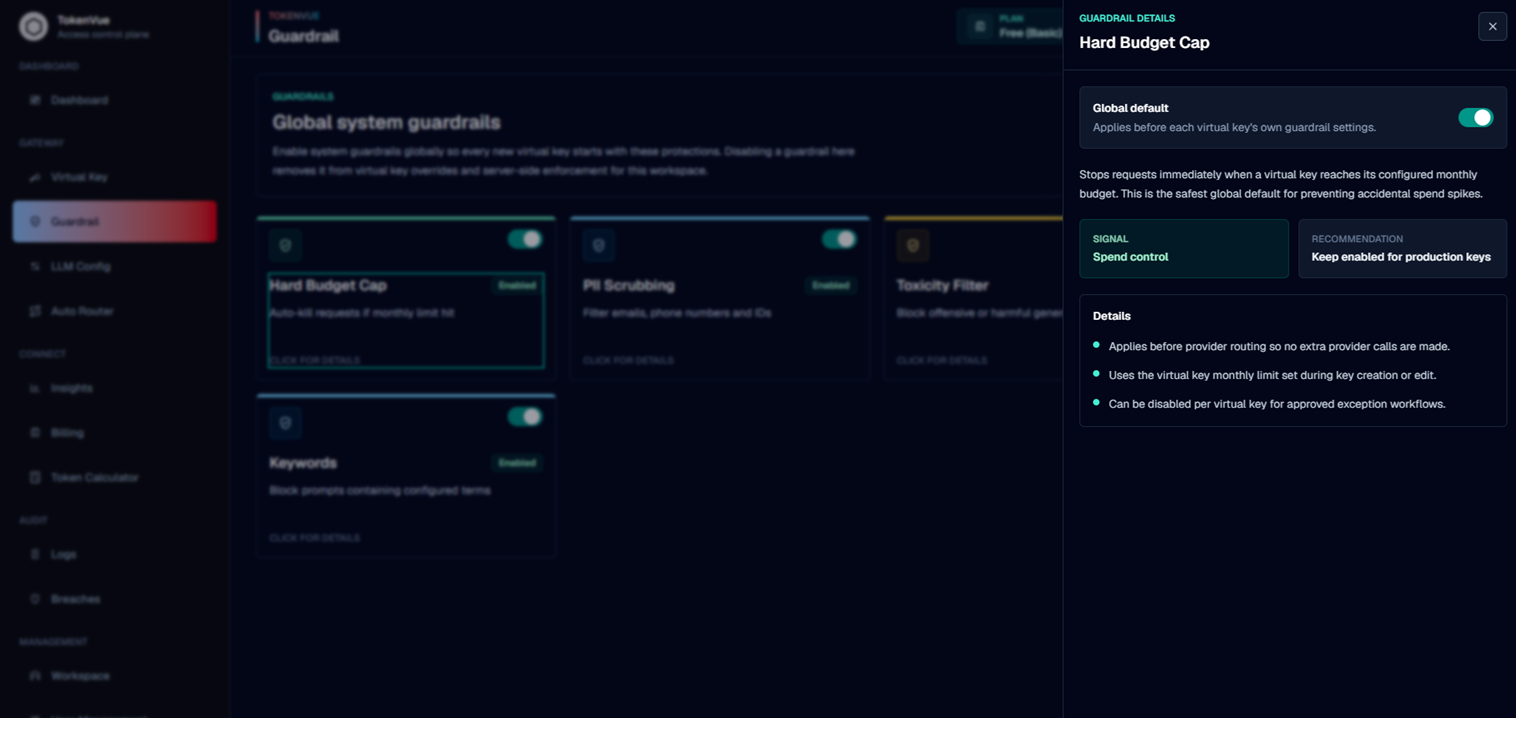
| Hard Budget Cap | Stops requests when a virtual key reaches its configured usage limit. |
| PII Scrubbing | Detects and masks sensitive data such as emails, phone numbers, IDs, or account identifiers. |
| Toxicity Filter | Blocks prompts that contain unsafe, abusive, or harmful content. |
| Injection Detection | Detects prompt injection attempts that try to bypass instructions or expose hidden context. |
| Keywords | Blocks requests containing configured words or phrases. |
Workspace-Level Guardrails
Guardrails are managed at the workspace level.
When a guardrail is enabled globally, it becomes part of the default protection layer for virtual keys in that workspace.
When a guardrail is disabled globally, it is removed from virtual key enforcement for that workspace.
Keyword Blocking
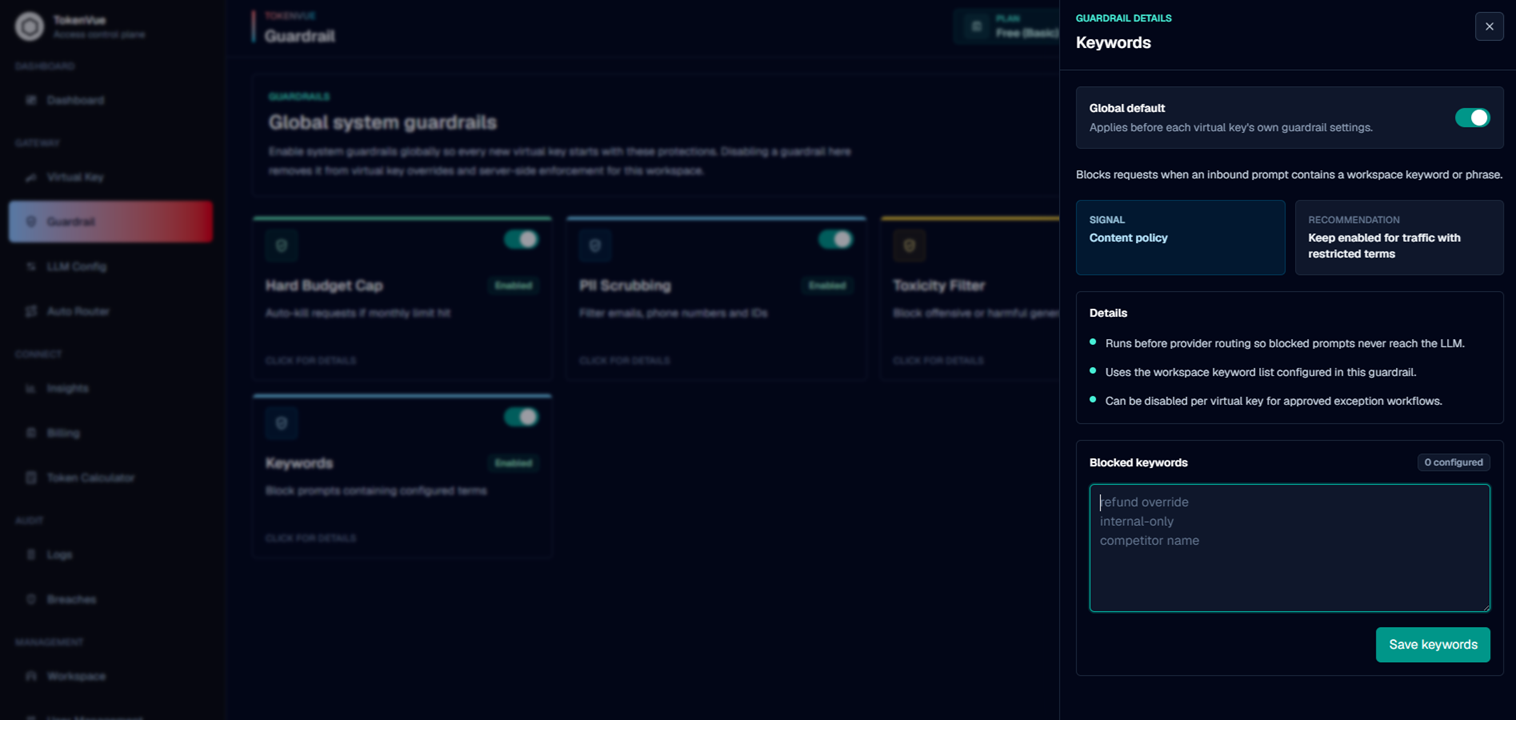
The Keywords guardrail lets you define specific terms or phrases that should not be allowed in prompts.
This is useful when your workspace needs to block:
- Restricted product names
- Internal-only terms
- Sensitive business phrases
- Policy-specific keywords
- Words related to unsupported workflows
Best Practices
- Keep Hard Budget Cap enabled for production keys.
- Enable PII Scrubbing for user-facing applications.
- Use Injection Detection for applications that rely on system prompts or tools.
- Use Keywords for workspace-specific policy rules.
- Review blocked requests in audit and breach views.
- Test guardrail behavior before routing production traffic.
In Short
Guardrails are the protection layer of TokenVue.
They help teams control cost, reduce risk, protect sensitive data, and enforce workspace policies before LLM requests reach external providers.