Auto Router
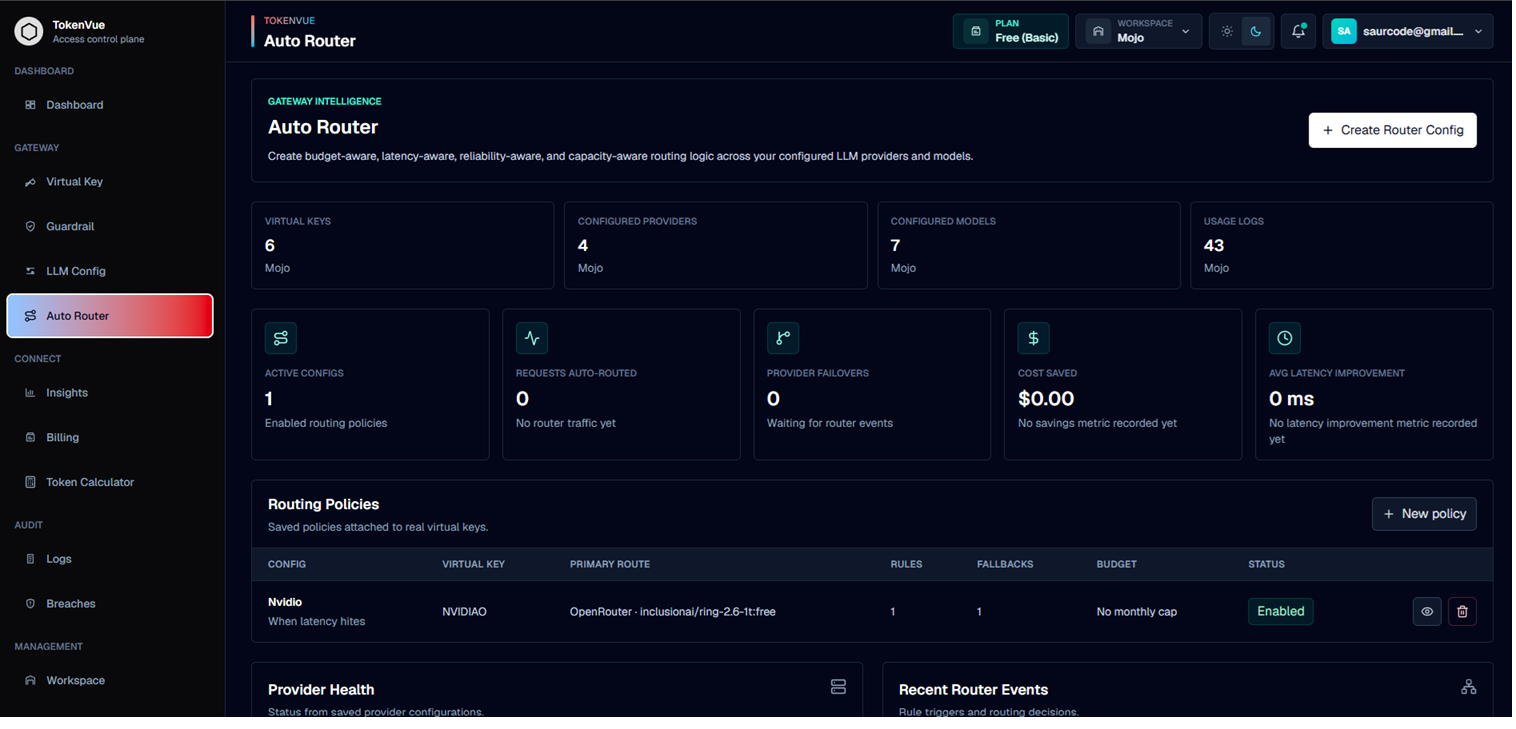
Auto Router helps TokenVue decide where LLM traffic should go when conditions change.
It lets teams create routing policies across configured providers, models, and virtual keys. This is useful when a model reaches a budget limit, a provider becomes unavailable, latency increases, or traffic needs to move through a fallback path.
What Auto Router Does
Auto Router gives your workspace a way to manage routing behavior without changing application code.
With Auto Router, you can:
- Connect routing policies to specific virtual keys
- Choose a primary provider and model
- Define routing rules based on cost, budget, performance, reliability, capacity, region, or security signals
- Create an ordered fallback chain
- Configure retry behavior
- Use circuit breaker settings for provider recovery
- Track router events when traffic is moved to another route
How It Works
A request still enters TokenVue through a Virtual Key.
Auto Router then checks the configured routing policy and decides whether the request should stay on the primary model or move to another configured route.
Application
  -> Virtual Key
  -> Guardrails and Limits
  -> Auto Router Policy
  -> Primary Model or Fallback Route
  -> Provider
Routing Policy
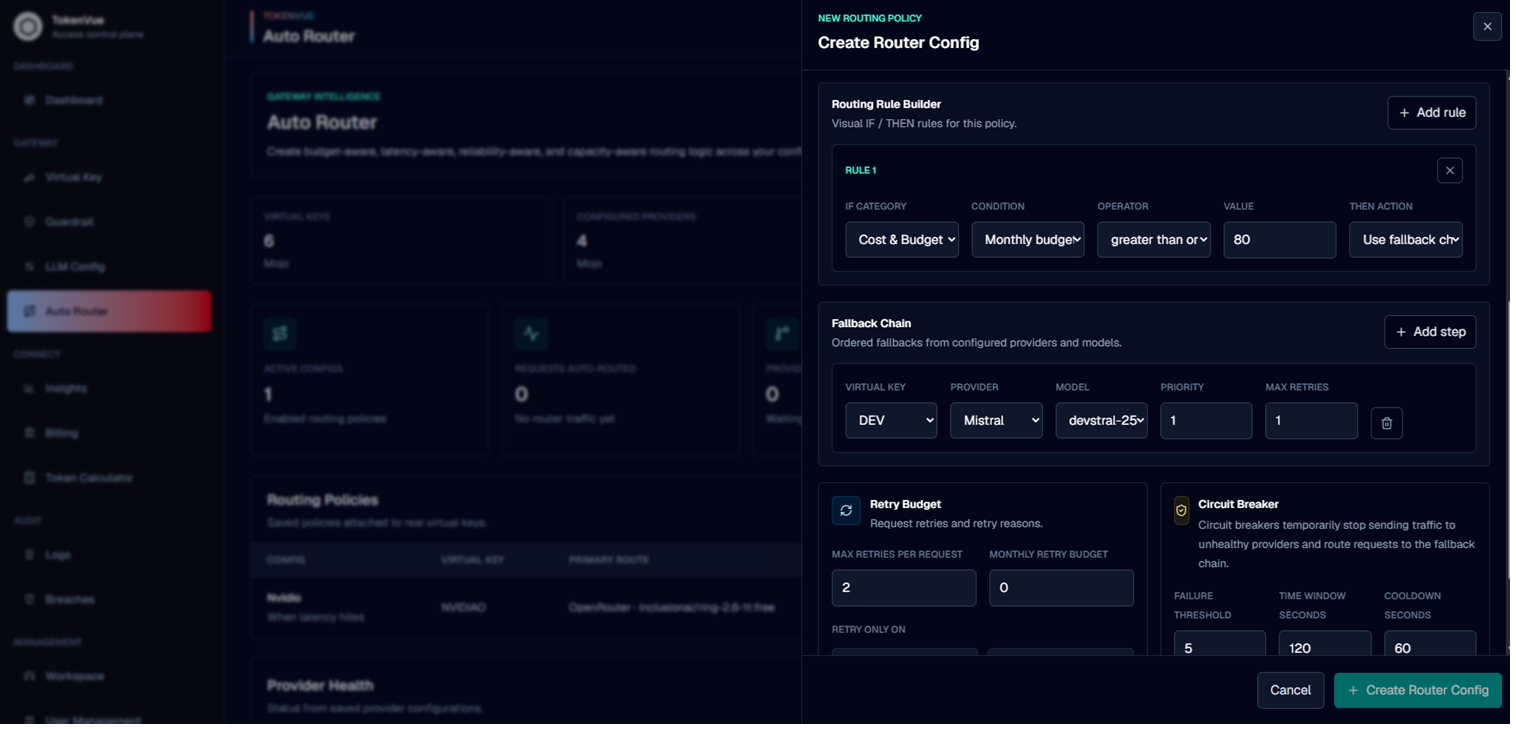
An Auto Router policy defines how traffic should be handled for a virtual key.
A policy usually includes:
| Field | Description |
|---|---|
| Virtual Key | The gateway key this routing policy applies to. |
| Primary Provider | The default provider for the route. |
| Primary Model | The default model for the route. |
| Provider Type | Paid API, open source/self-hosted, or hybrid. |
| Rules | Conditions that decide when routing behavior should change. |
| Fallback Chain | Ordered backup routes TokenVue can use when the primary route should not be used. |
| Retry Policy | Controls retry attempts for selected failure types. |
| Circuit Breaker | Helps prevent repeated calls to unhealthy routes. |
Routing Rules
Rules define when Auto Router should take action.
Rule categories can include:
- Cost and budget
- Performance
- Reliability
- Capacity
- Region
- Security
- Custom signals
Examples of routing conditions include:
- Monthly budget usage
- Daily budget usage
- Token usage
- Provider quota exceeded
- Latency threshold
- Timeout
- Rate limit hit
- Provider unavailable
- Guardrail violation
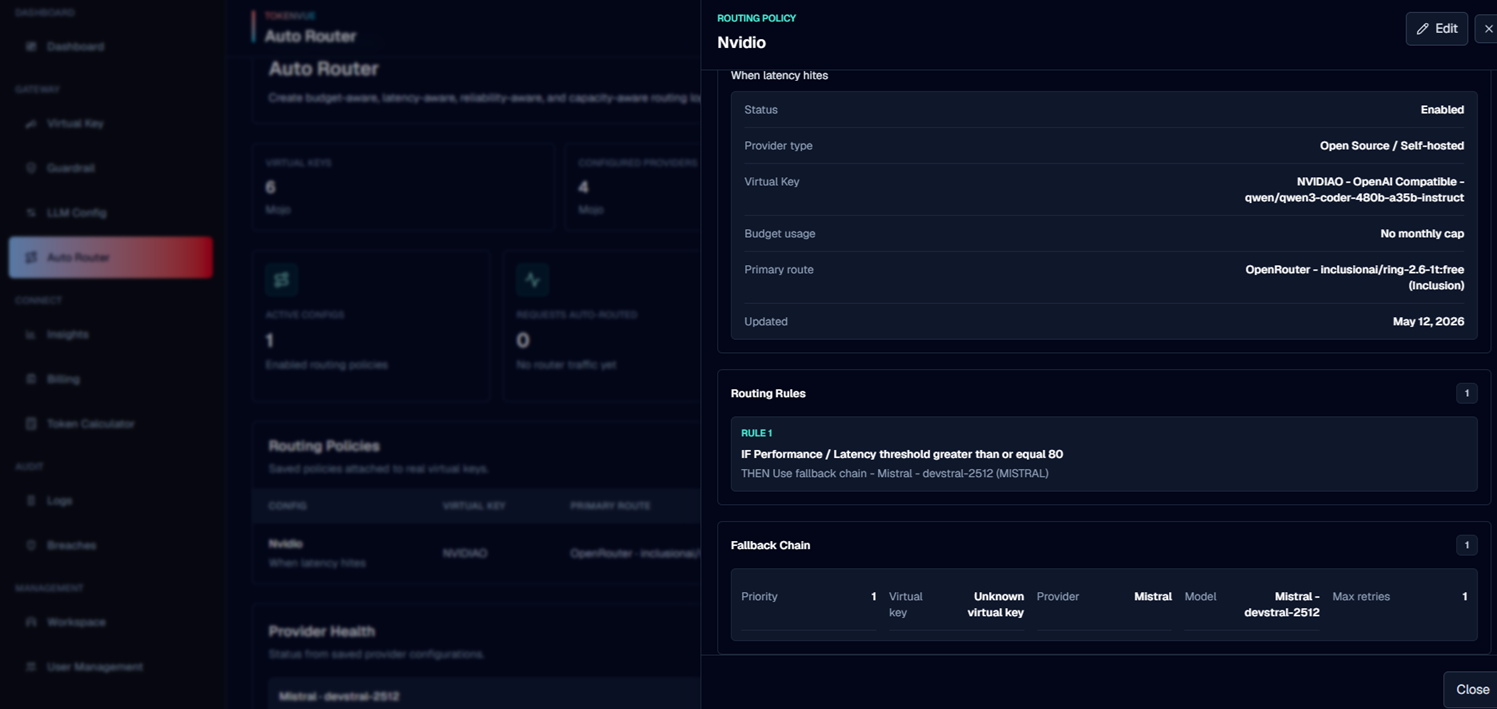
Fallback Chain
The fallback chain is an ordered list of backup routes.
If the primary route cannot be used, TokenVue can move traffic to the next available fallback route.
A fallback step can include:
- Fallback virtual key
- Provider
- Model
- Region
- Maximum retries
- Priority order
Retry Policy
Retry settings control when TokenVue should retry a request.
A retry policy can define:
- Maximum retries per request
- Monthly retry budget
- Retry reasons such as rate limits, server errors, timeout, or provider unavailable
Circuit Breaker
Circuit breaker settings help protect traffic when a provider or route is unhealthy.
A circuit breaker can define:
- Failure threshold
- Time window
- Cooldown period
- Auto recovery behavior
When to Use Auto Router
Use Auto Router when your workspace needs more control than a single static provider route.
Common use cases include:
- Moving traffic when a virtual key reaches a budget limit
- Failing over to another provider when quota is exceeded
- Keeping production traffic available during provider failures
- Separating paid, free, and self-hosted model routes
- Building fallback paths for critical applications
Best Practices
- Create LLM Config entries before building router policies.
- Create Virtual Keys for each route you want Auto Router to use.
- Start with a simple primary route and one fallback route.
- Use clear names for routing policies.
- Keep fallback order intentional.
- Review Auto Router events after traffic starts moving.
- Test routing behavior before using it for production workloads.
In Short
Auto Router is the routing policy layer in TokenVue.
It helps teams control how LLM traffic moves across providers, models, and fallback routes when budget, reliability, performance, or availability conditions change.