Workspaces
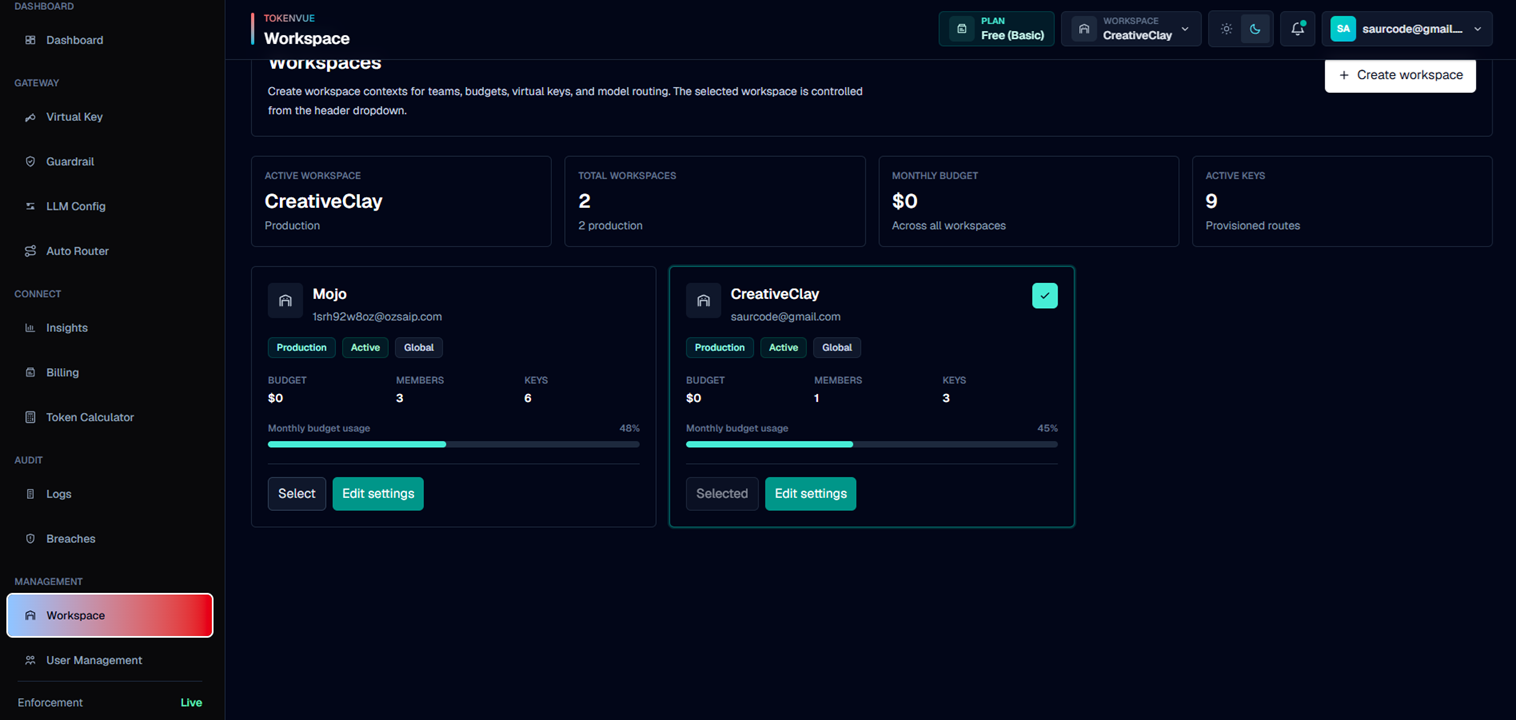
Workspaces in TokenVue organize teams, budgets, virtual keys, and model routing into separate operating contexts.
The active workspace controls which gateway data you are viewing and managing across TokenVue.
What Workspaces Do
A workspace helps separate LLM operations by team, project, environment, or business unit.
You can use workspaces to manage:
- Virtual keys
- LLM configurations
- Model routing
- Workspace budgets
- Members
- Regions
- Usage visibility
- Logs and insights
Workspace Summary
The Workspace page shows high-level workspace information, including:
- Active workspace
- Total workspaces
- Monthly budget across workspaces
- Active keys across workspaces
- Number of production workspaces
Workspace Details
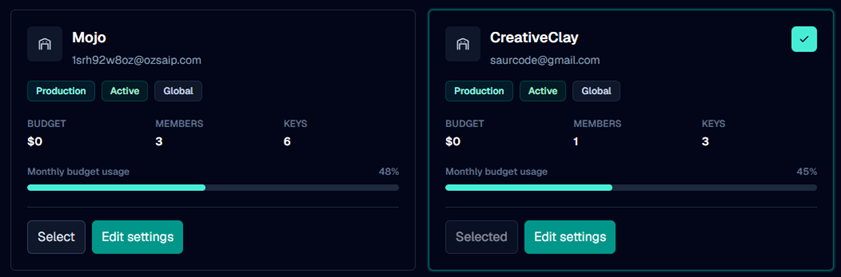
Each workspace card shows:
| Field | Description |
|---|---|
| Name | The workspace name. |
| Owner | The person or team responsible for the workspace. |
| Environment | Production, Staging, or Sandbox. |
| Status | Active or Review. |
| Region | Global, US, EU, or Rwanda. |
| Budget | Monthly workspace budget. |
| Members | Number of workspace members. |
| Keys | Number of active virtual keys. |
Creating a Workspace
To create a workspace, select Create workspace from the Workspace page.
A workspace requires:
- Workspace name
- Workspace owner
- Environment
- Region
- Monthly budget
- Members
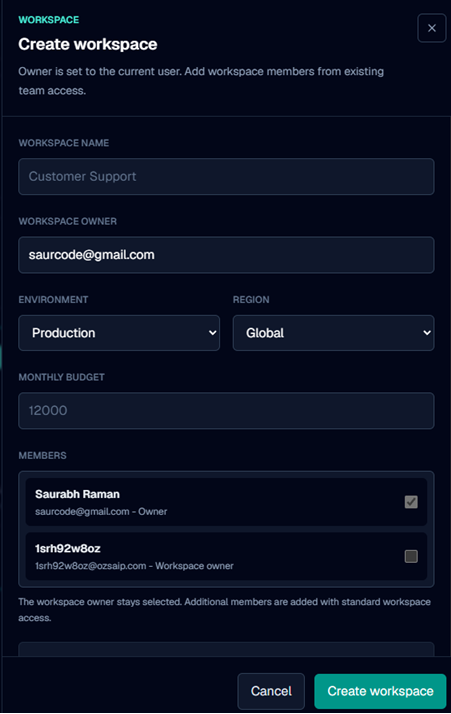
The owner is set from the current user. Additional members can be selected from existing team access.
Selecting a Workspace
Only one workspace is active at a time.
When you select a workspace, TokenVue uses it as the current context for gateway management, including virtual keys, logs, insights, guardrails, and routing views.
Editing Workspace Settings
Workspace settings can be updated after creation.
Editable settings include:
- Environment
- Region
- Monthly budget
- Members
The workspace name is kept fixed when editing existing workspace settings.
Best Practices
- Use separate workspaces for production, staging, and sandbox traffic.
- Keep workspace names clear and team-oriented.
- Assign an owner who understands the traffic and budget.
- Use regions to make routing context easier to understand.
- Review active keys regularly across workspaces.
- Keep production workspaces separate from test traffic.
In Short
Workspaces are the operating boundaries inside TokenVue.
They help teams separate LLM access, budgets, members, routing, and usage visibility across different projects or environments.