User Management
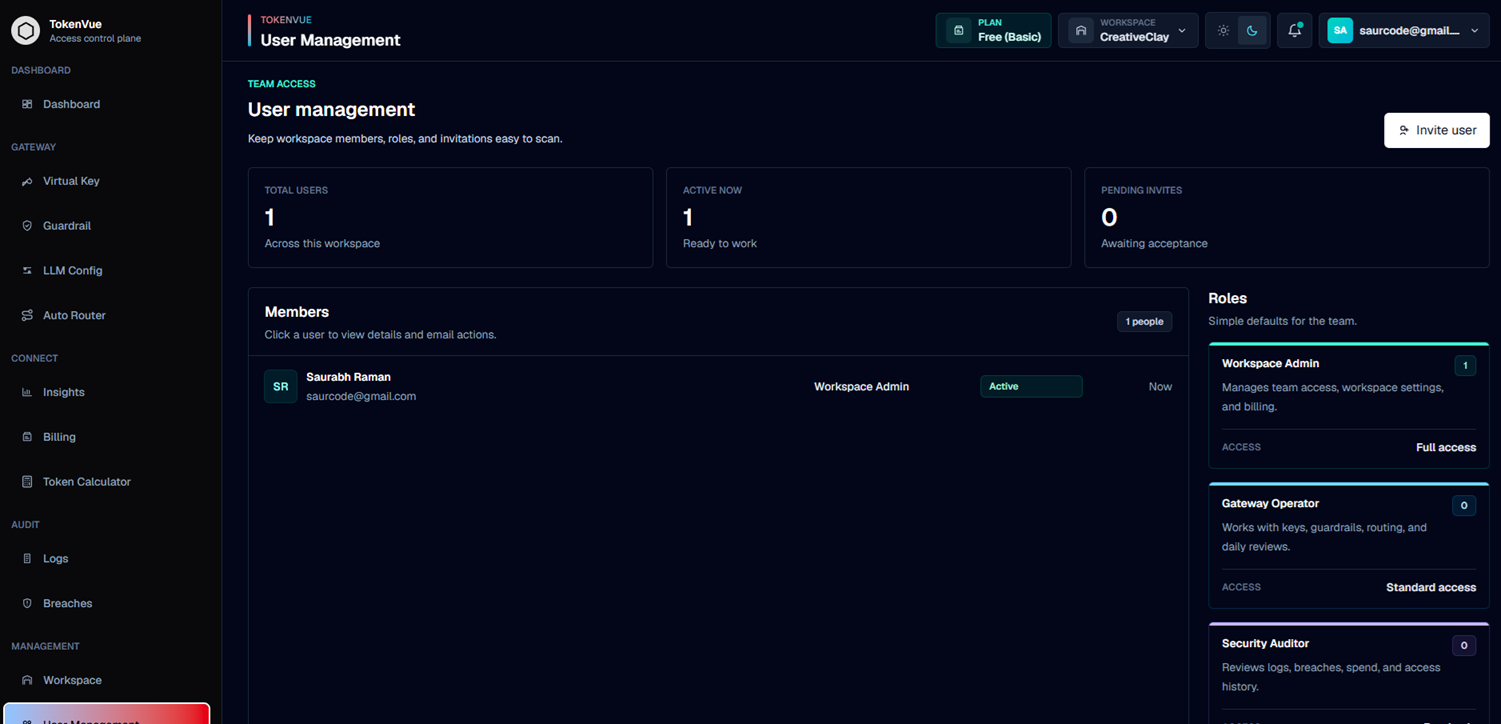
User Management in TokenVue is where Workspace Admins manage team access, roles, and invitations for a workspace.
It helps teams control who can access TokenVue, what level of access they have, and which workspaces they belong to.
What User Management Does
User Management helps workspace owners keep team access easy to review and maintain.
You can use it to:
- View all users in the active workspace
- See active users and pending invitations
- Invite new workspace members
- Add existing TokenVue users to a workspace
- Assign users to one or more workspaces
- Choose a role for each user
- View user details
- Resend invitations
- Send password reset emails
Team Access Summary
The User Management page shows quick workspace access metrics:
- Total users: All users assigned to the current workspace
- Active now: Users who already have active access
- Pending invites: Users who have been invited but have not accepted yet
User Roles
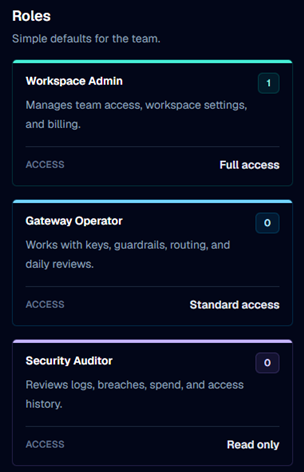
TokenVue includes three default workspace roles.
| Role | Access | Description |
|---|---|---|
| Workspace Admin | Full access | Manages team access, workspace settings, and billing. |
| Gateway Operator | Standard access | Works with virtual keys, guardrails, routing, and daily reviews. |
| Security Auditor | Read only | Reviews logs, breaches, spend, and access history. |
Inviting Users
Only Workspace Admin users can invite or add workspace members.
When inviting a user, TokenVue checks whether the email already belongs to an active account.
If the user already exists, they can be added directly to selected workspaces.
If the user does not exist yet, TokenVue sends a workspace invitation and gives them access after signup.
Invite Fields
A user invitation can include:
- Email address
- First name
- Last name
- Role
- Workspace assignment
The active workspace stays selected by default. Admins can also assign the same user to additional workspaces they manage.
Member Details
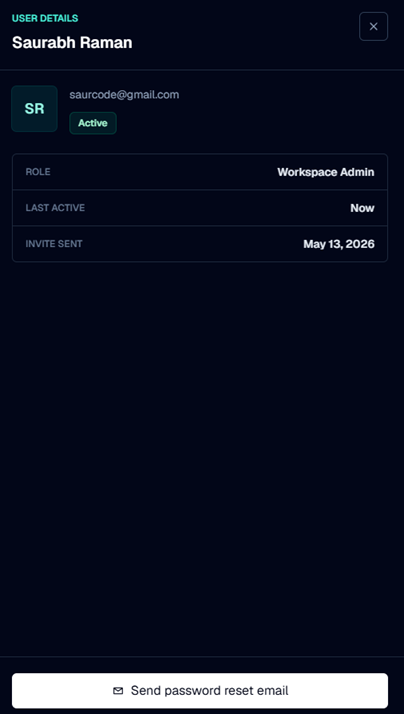
Selecting a user opens their detail view.
The detail view can show:
- Name
- Email address
- Role
- Status
- Last active time
- Invite sent time
For invited users, admins can resend the invite. For active users, admins can send a password reset email.
Best Practices
- Give Workspace Admin access only to users who should manage team and billing settings.
- Use Gateway Operator for users managing keys, routing, and guardrails.
- Use Security Auditor for users who only need review access.
- Review pending invites regularly.
- Assign users only to the workspaces they need.
- Use password reset actions when users lose account access.
User Management is the team access layer of TokenVue.
It helps workspace admins invite users, assign roles, manage workspace access, and keep team permissions clear.