Token Calculator
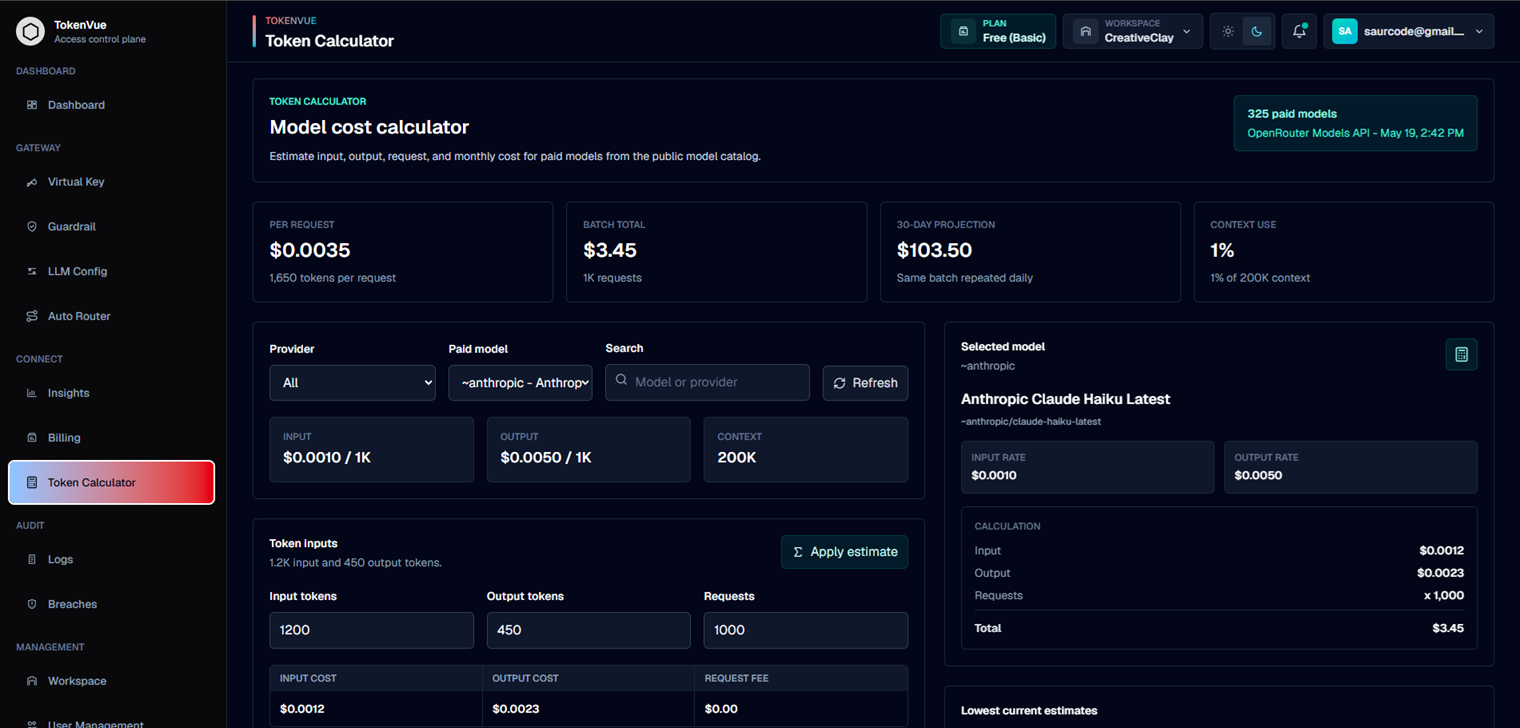
The Token Calculator helps estimate model usage cost before sending traffic through TokenVue.
It uses public model pricing data, input token counts, output token counts, and request volume to estimate per-request cost, batch cost, and projected monthly cost.
What the Token Calculator Does
The Token Calculator helps teams compare model costs before choosing or routing traffic to a provider.
You can use it to estimate:
- Input token cost
- Output token cost
- Request fees
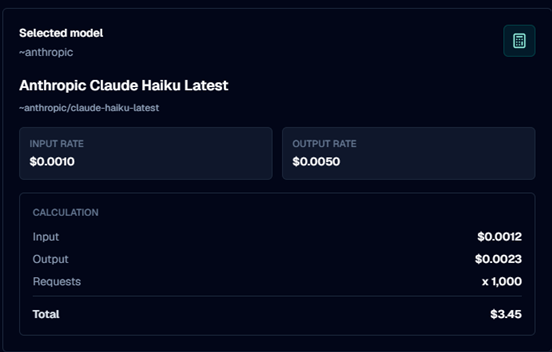
- Total cost per request
- Batch cost across many requests
- 30-day projected cost
- Context window usage
- Lower-cost model alternatives
Model Selection
The calculator loads paid models from the public model catalog.
You can filter models by:
- Provider
- Model name
- Model ID
- Search keyword
After selecting a model, TokenVue shows pricing information such as input cost, output cost, and context length.
Token Inputs
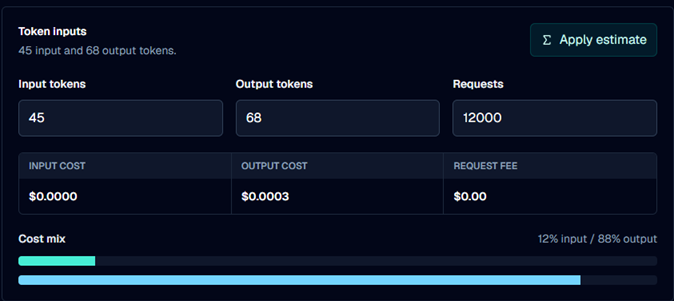
Token Calculator uses three main inputs:
| Field | Description |
|---|---|
| Input tokens | The estimated number of tokens sent to the model. |
| Output tokens | The estimated number of tokens returned by the model. |
| Requests | The number of requests to calculate cost for. |
These values are used to calculate the cost for one request, a batch of requests, and a 30-day projection.
Cost Metrics
TokenVue displays the calculated result in several views:
- Per request: Estimated cost for one model request
- Batch total: Estimated total cost for the entered request count
- 30-day projection: Estimated cost if the same batch runs daily
- Context use: How much of the model context window the request may use
Sample Prompts
The calculator includes sample profiles to quickly estimate common workloads, such as:
- Support replies
- RAG answers
- Batch summaries
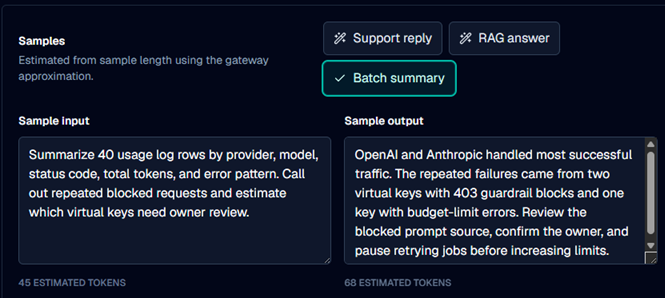
You can also enter your own sample input and sample output. TokenVue estimates token counts from the sample text and lets you apply those estimates to the calculator.
Lowest Current Estimates
TokenVue compares the current token mix against available paid models and shows lower-cost alternatives.
This helps teams quickly see whether another model may be cheaper for the same input, output, and request volume.
Best Practices
- Use realistic input and output token counts.
- Compare multiple models before choosing a production route.
- Check context usage for large prompts or RAG workflows.
- Use 30-day projection for budget planning.
- Validate estimates against real usage logs after traffic starts.
- Treat sample-based token counts as estimates, not exact billing numbers.
In Short
The Token Calculator is a planning tool for model cost estimation.
It helps teams understand expected LLM spend before configuring virtual keys, budgets, or Auto Router policies in TokenVue.