Logs
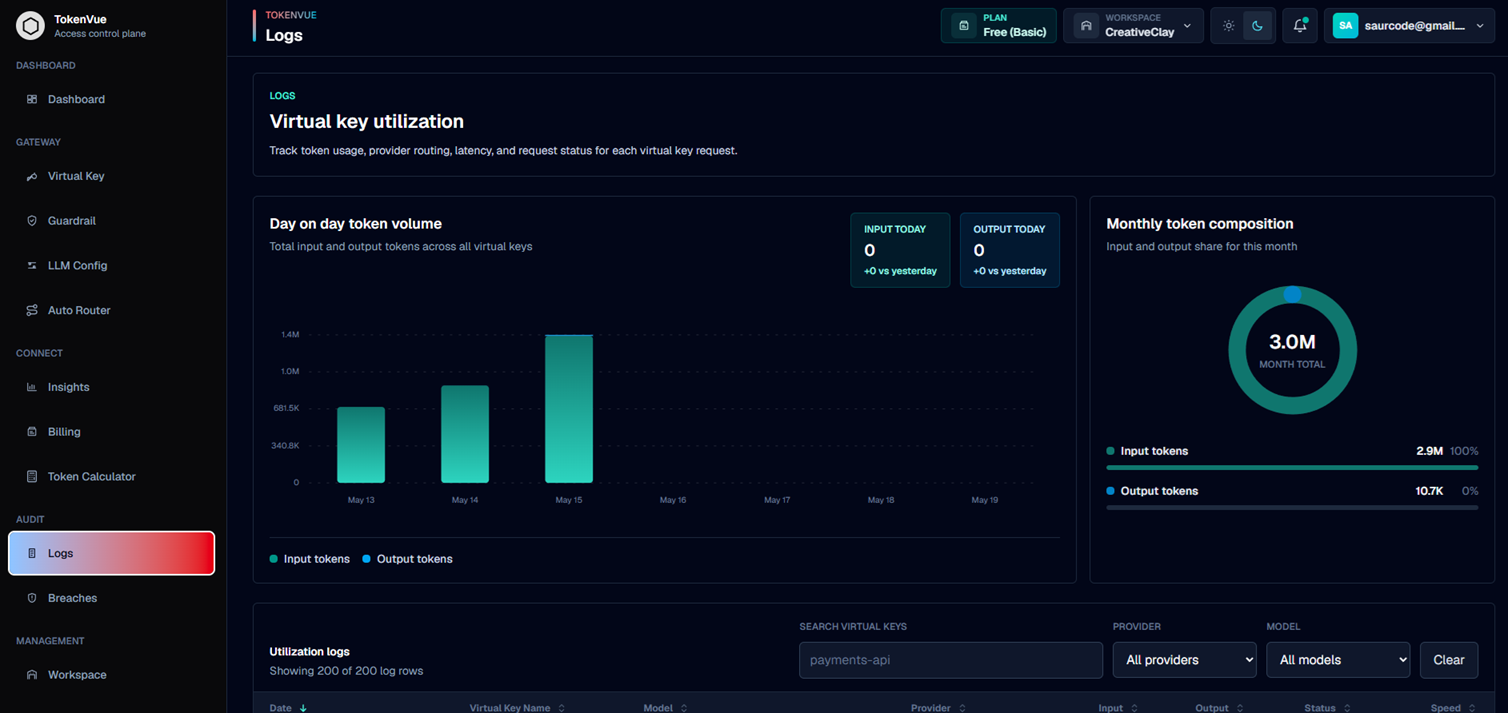
Logs in TokenVue show virtual key utilization across your workspace.
They help teams track token usage, provider routing, latency, request status, and model activity for each request sent through the TokenVue gateway.
What Logs Show
The Logs page gives visibility into how each virtual key is being used.
You can review:
- Request date and time
- Virtual key name
- Provider
- Model
- Input tokens
- Output tokens
- Total tokens
- Request status
- Throughput
- Provider latency
- Endpoint
- Status code
- Estimated cost, when public pricing is available
Token Volume
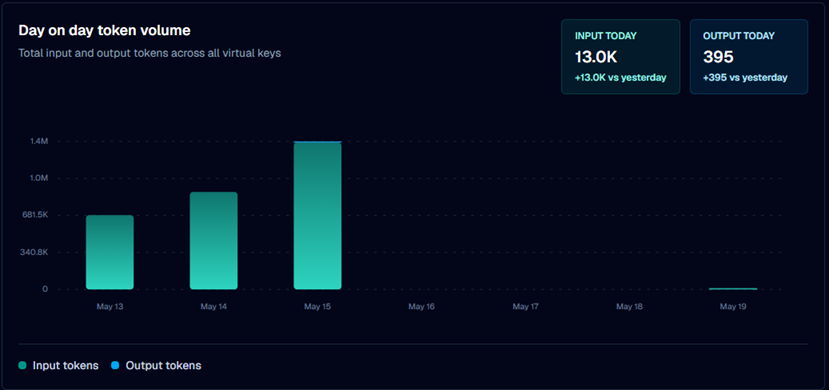
TokenVue shows day-by-day token volume across all virtual keys.
This includes:
- Input tokens
- Output tokens
- Today's token usage
- Change compared with yesterday
Monthly Token Composition
Monthly token composition shows the split between input and output tokens for the current month.
This helps teams understand whether most usage is coming from prompts sent into models or completions returned by models.
Utilization Logs
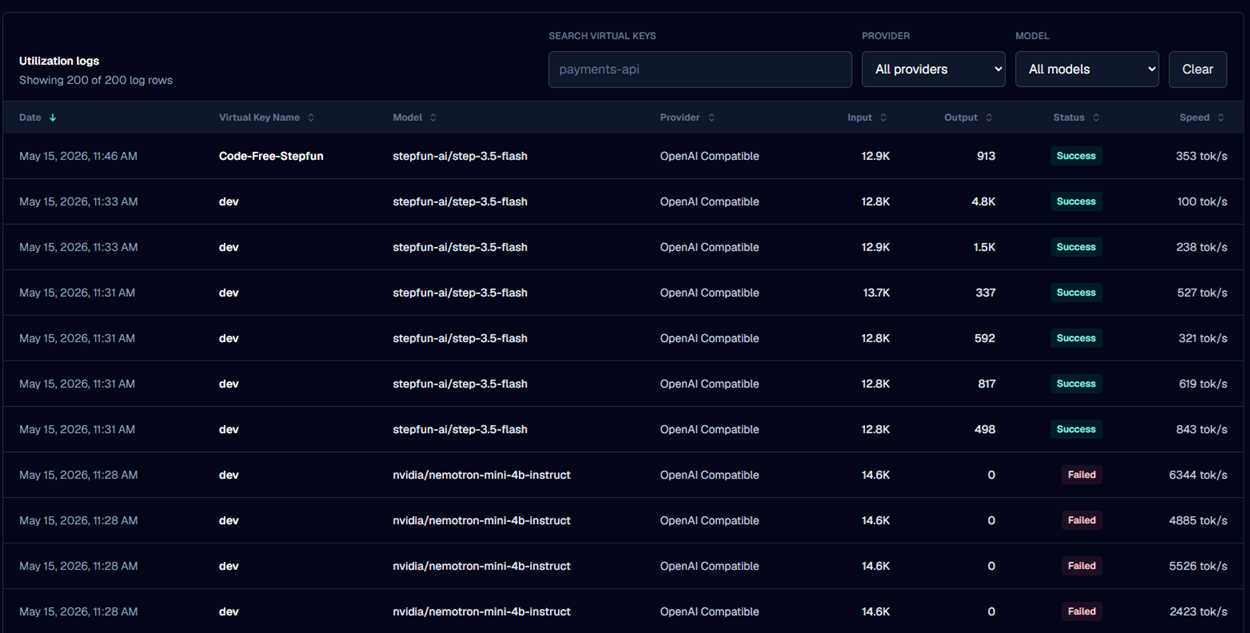
The utilization table lists individual virtual key requests.
Each row includes:
| Field | Description |
|---|---|
| Date | When the request was recorded. |
| Virtual Key Name | The service or workload that used the key. |
| Model | The model used for the request. |
| Provider | The provider that handled the request. |
| Input | Prompt/input token volume. |
| Output | Completion/output token volume. |
| Status | Whether the request succeeded or failed. |
| Speed | Token throughput for the request. |
Filtering Logs
Logs can be filtered by:
- Virtual key name
- Provider
- Model
This makes it easier to isolate traffic for a specific service, model, or provider.
Log Details
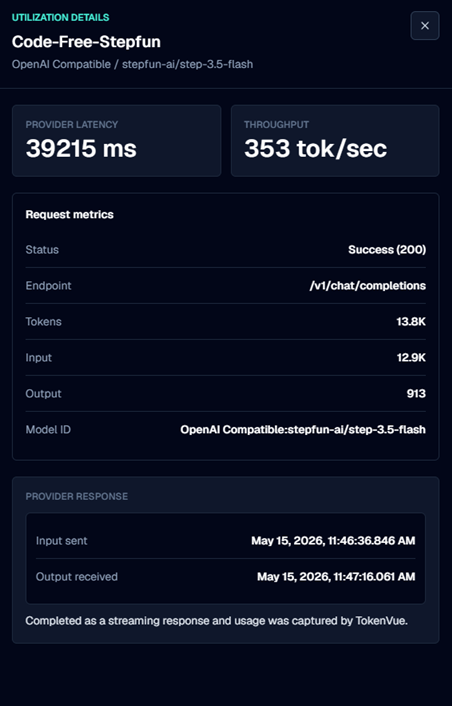
Selecting a log row opens a detailed view for that request.
The details view can include:
- Provider and model
- Provider latency
- Throughput
- Status and status code
- Endpoint
- Input tokens
- Output tokens
- Total tokens
- Model ID
- Input sent time
- Output received time
- Provider response or error message
Cost Details
When the request uses a paid model and public pricing is available, TokenVue can estimate:
- Input cost
- Output cost
- Request fee
- Total cost
- Input cost per 1K tokens
- Output cost per 1K tokens
- Pricing source
If pricing is unavailable, the request still appears in logs, but cost details may not be shown.
Best Practices
- Review logs after creating or changing virtual keys.
- Use filters to inspect traffic by provider, model, or service.
- Watch failed requests for provider errors or guardrail blocks.
- Compare input and output token volume to understand usage patterns.
- Use detailed logs to troubleshoot latency, status codes, and routing behavior.
- Validate estimated costs against provider billing when needed.
In Short
Logs are the request history layer of TokenVue.
They show how virtual keys are being used, which providers and models are handling traffic, how many tokens are consumed, and whether requests are succeeding or failing.