Breaches
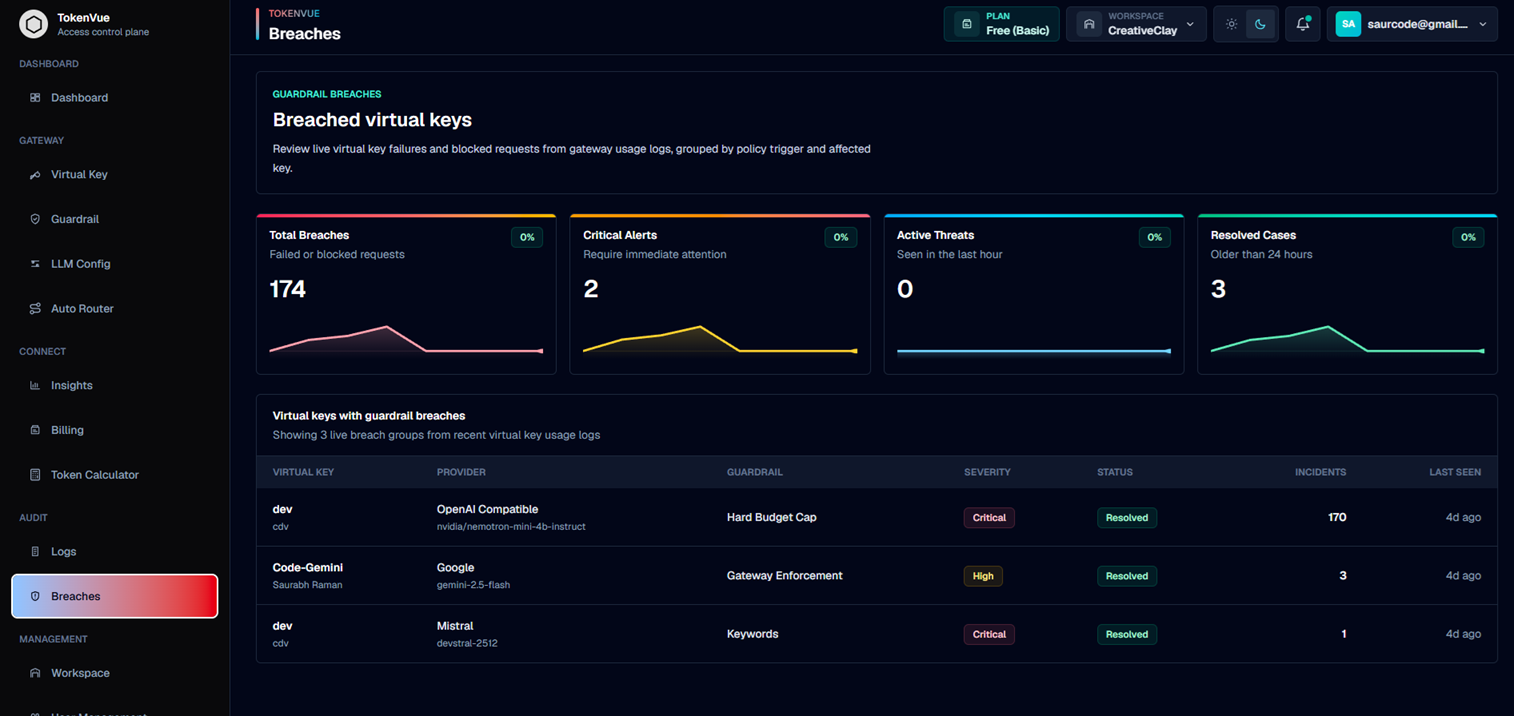
Breaches in TokenVue show failed or blocked virtual key activity that may need review.
A breach is not always a confirmed data compromise. In TokenVue, it means the gateway detected repeated failures, blocked requests, guardrail triggers, paused-key usage, quota issues, or other enforcement events.
What Breaches Show
The Breaches page groups live gateway events by affected virtual key and policy trigger.
You can review:
- Failed or blocked requests
- Affected virtual keys
- Provider and model involved
- Triggered guardrail
- Severity level
- Current status
- Number of incidents
- Last seen time
- Recommended actions
Breach Categories
TokenVue can classify breach groups by trigger type.
| Category | Meaning |
|---|---|
| Keywords | A configured blocked keyword was detected. |
| Injection Detection | A prompt or policy bypass attempt was detected. |
| PII Scrubbing | Sensitive data exposure was detected. |
| Toxicity Filter | Unsafe or harmful content was detected. |
| Hard Budget Cap | A budget, quota, rate, or limit boundary was crossed. |
| Key Status Control | A paused virtual key was used. |
| Gateway Enforcement | A gateway-level request failure was recorded. |
Breach Summary
The top summary cards show:
- Total Breaches: Total failed or blocked request incidents
- Critical Alerts: Breach groups that require immediate attention
- Active Threats: Breach groups seen within the last hour
- Resolved Cases: Breach groups older than 24 hours
Severity and Status
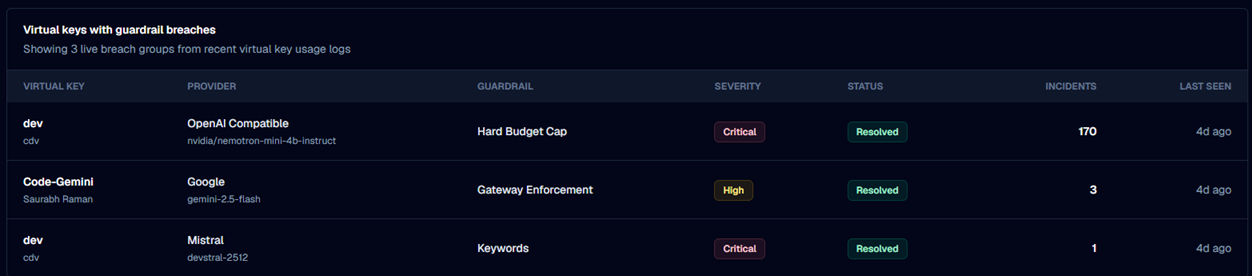
Each breach group has a severity and status.
Severity can be:
- Critical
- High
- Medium
Status can be:
- Active
- Investigating
- Resolved
These labels help teams decide which virtual keys need attention first.
Breach Details
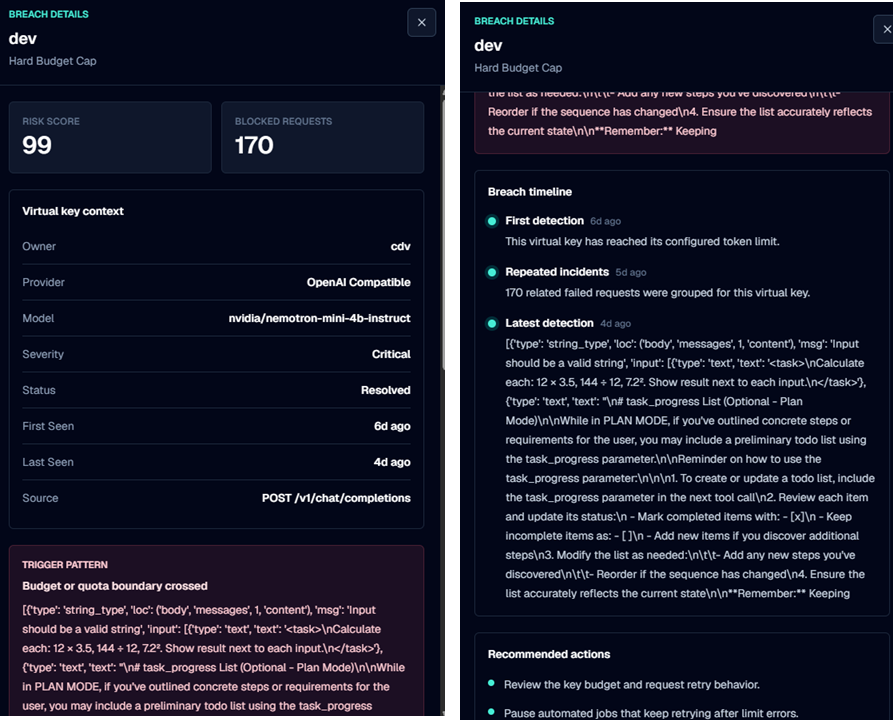
Selecting a breach opens a detail view with more context.
The details can include:
- Risk score
- Blocked request count
- Virtual key owner
- Provider
- Model
- Severity
- Status
- First seen time
- Last seen time
- Source endpoint
- Trigger pattern
- Evidence
- Breach timeline
- Recommended actions
Recommended Actions
TokenVue suggests actions based on the detected trigger.
Examples include:
- Review the related audit logs
- Keep the triggered guardrail enabled
- Inspect failed prompts or blocked inputs
- Confirm the virtual key owner recognizes the traffic
- Pause or rotate the virtual key if traffic is unauthorized
- Review budget limits before increasing quotas
Best Practices
- Review Critical and Active breach groups first.
- Use Logs to inspect the related request window.
- Keep guardrails enabled for production virtual keys.
- Rotate or pause keys when traffic looks unauthorized.
- Tune keyword lists when expected traffic is blocked.
- Review repeated budget or quota breaches before raising limits.
In Short
Breaches are the incident review layer of TokenVue.
They help teams find risky, blocked, or failed virtual key traffic and decide what action to take before the issue affects production workloads.